To start your Summer or Fall 2025 application or your Spring 2026 application, go to https://texasam2025.cas.myliaison.com/applicant-ux/#/login
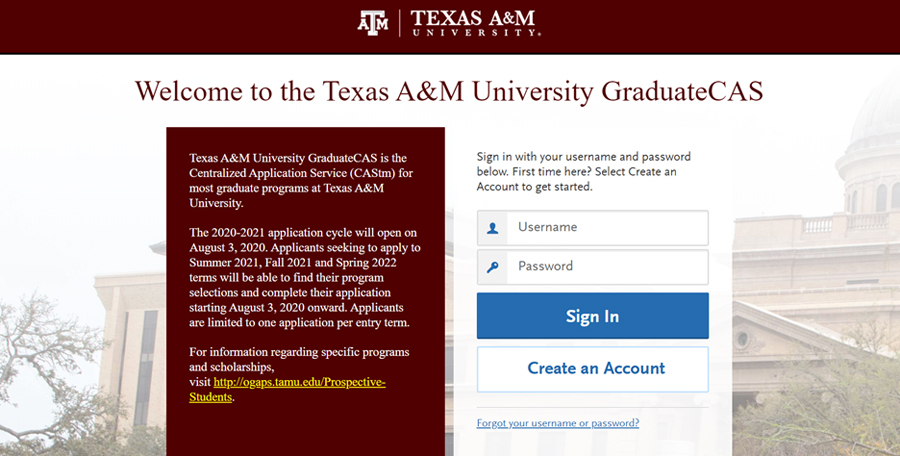
Click on “Create an Account.” Fill out all required fields and click “Create My Account.” Don’t forget your username and password!
After creating your account, GraduateCAS will ask you to confirm your citizenship status. Fill in the answer that applies to you and save. After you do this, it will take you to the main landing page.
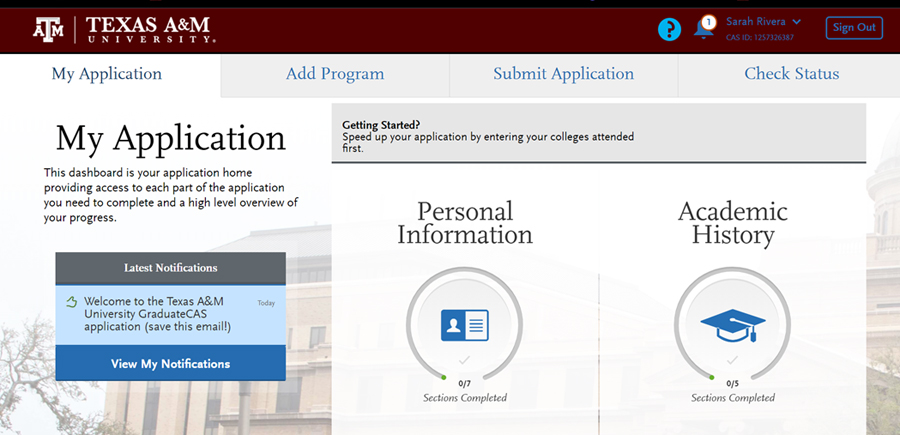
To start your application, click the “Add Program” tab.
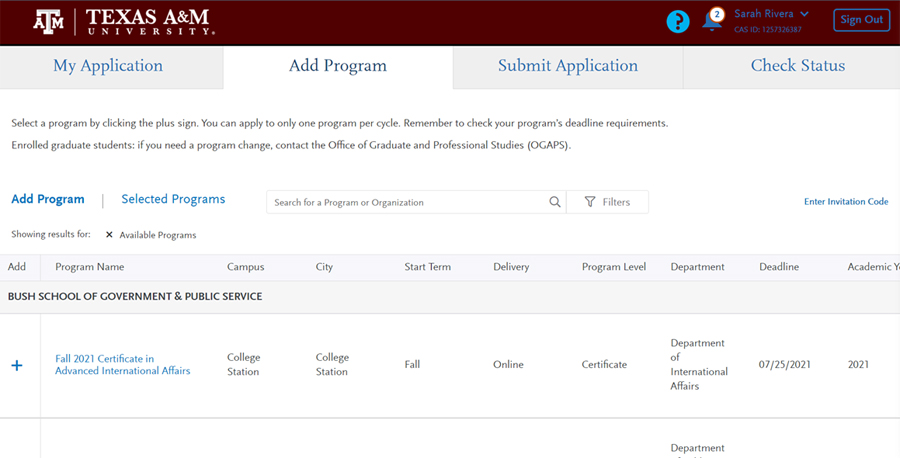
Then, search for your preferred program by typing the program name in the “Search for a Program or Organization” box:
- Executive Master of Public Service and Administration
- Certificate in Advanced International Affairs
- Certificate in Homeland Security
- Certificate in Public Management
- Certificate in Nonprofit Management
When you locate the program you’d like to apply for, click the + sign on the left.
IMPORTANT: Please confirm the semester you are applying for as well, as there may be multiple application cycles open at the same time.
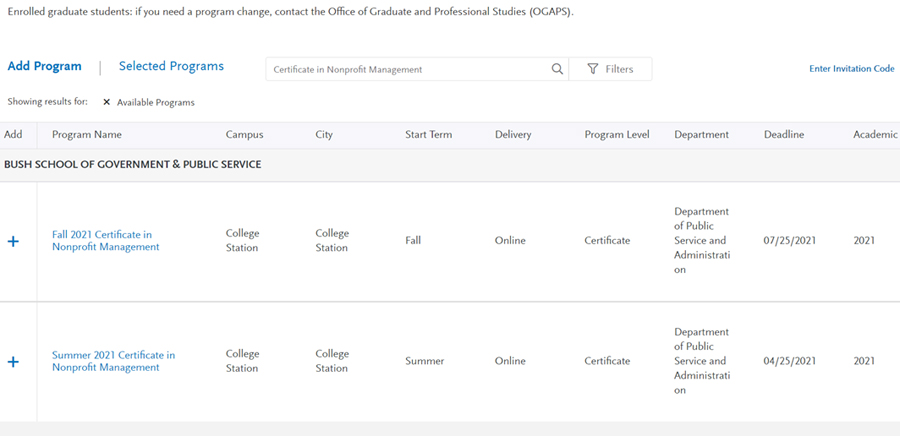
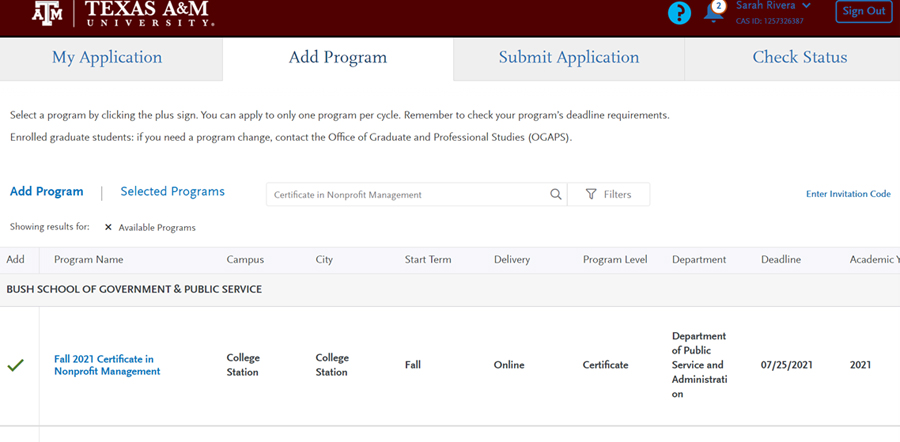
After you click the + sign, the program will be bolded, a green check mark will appear where the + sign was, and it will be added to your profile.
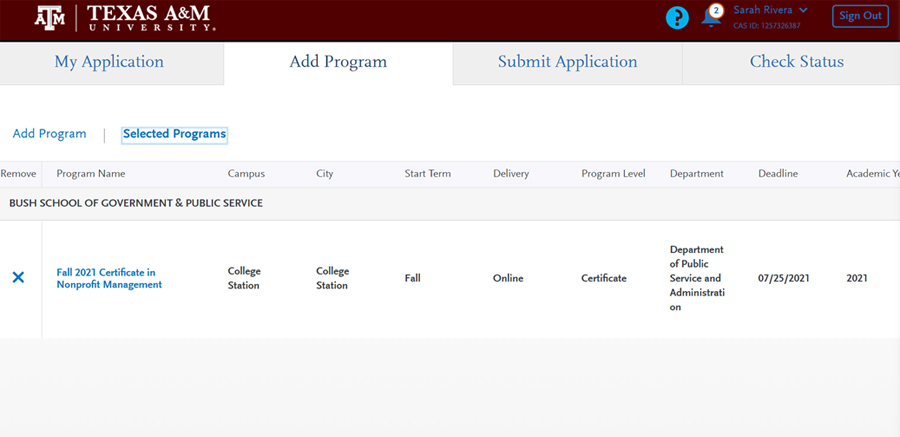
If you selected the wrong option, you can remove the program from your profile. Simply click “Selected Programs” and click the x on the left.
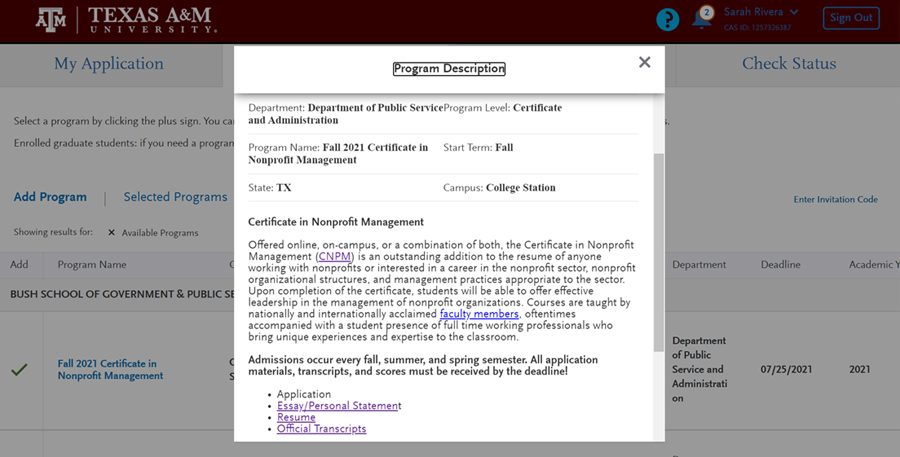
To get more information on a program, including application deadlines, required materials, and more, click on the name of the program.
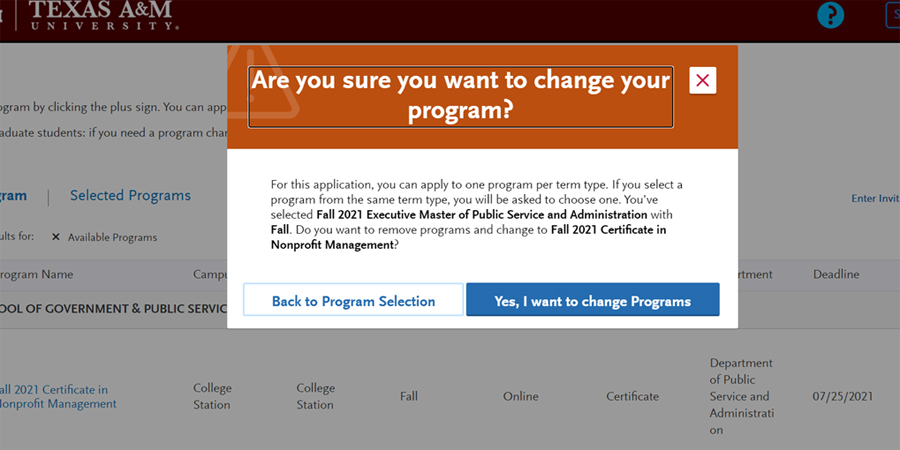
IMPORTANT: You may only apply to one program per semester. If you attempt to apply to 2 programs in the same semester, you will get the following error message. If you are interested in applying to an additional Bush School Online program, please reach out to bushschoolonline@tamu.edu for further guidance.
Once you have selected your program and are ready to start your application, click the “My Application” tab. You will be taken back to the landing page.
Note: If you don’t have time to complete the entire application in 1 sitting, you can always save as you go and come back later.
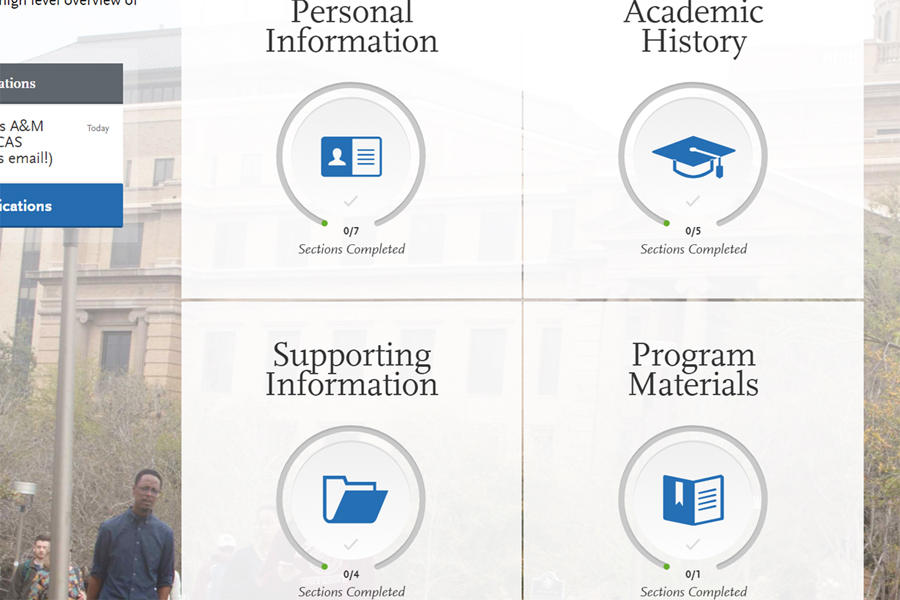
You can start with any square you want, in any order you choose.
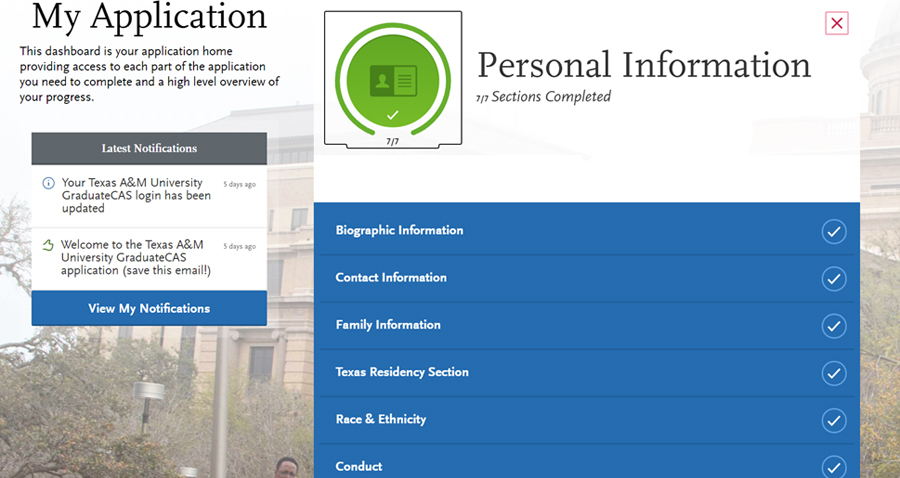
The “Personal Information” square gathers general contact information, including residency, emergency contacts, and more. Please fill out all required fields, and always press “Save and Continue” after each section.
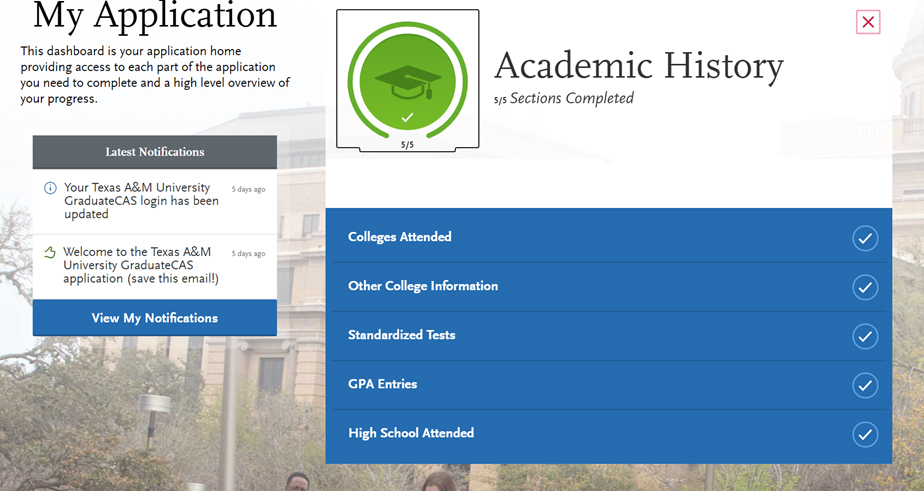
The “Academic History” square gathers your high school and college information. You may also submit unofficial copies of standardized test scores (such as the GRE or GMAT) if you have them. Please fill out all required information, including GPA, etc., and press “Save and Continue” at the end of each section.
Note: In the “Colleges Attended” subsection, uploading unofficial transcripts is required. This does not replace the requirement to submit official transcripts to the Texas A&M Office of Admissions as well.
The “Supporting Information” square gathers your work and volunteering history. You may also add any awards won to the “Achievements” subsection.
You do not need to fill out “Experiences” or “Achievements.” You may click “I Am Not Adding Any Experiences” and “I Am Not Adding Any Achievements” to proceed out of these sections.
Uploading your resume in the “Documents” subsection is required. We recommend checking the format of your resume once it is uploaded. The upload process may disable or alter custom formatting.
As always, please make sure to press “Save and Continue” at the end of each section.
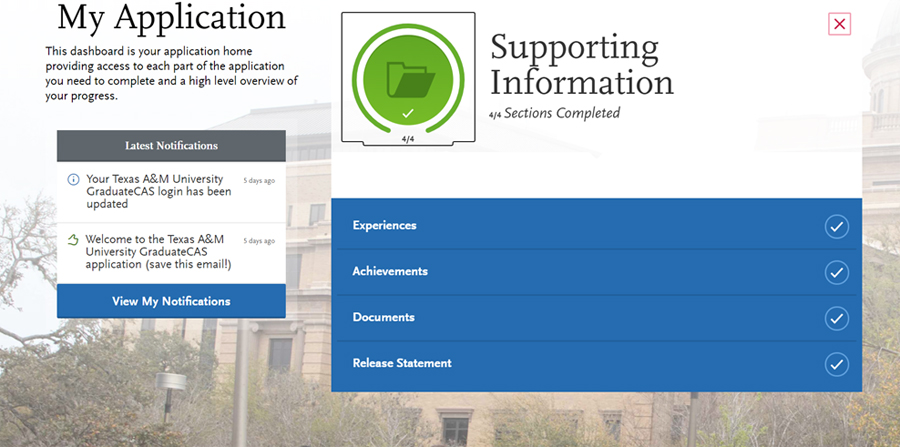
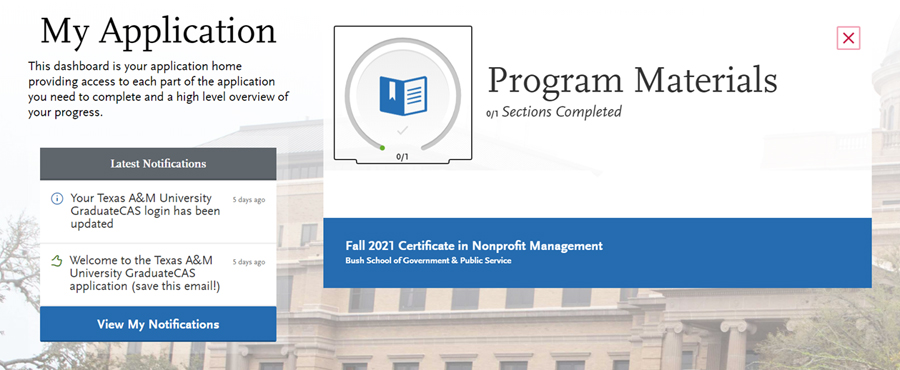
Finally, the “Program Materials” square is where the custom application materials for each program are collected. Click on the program name to open the portal.
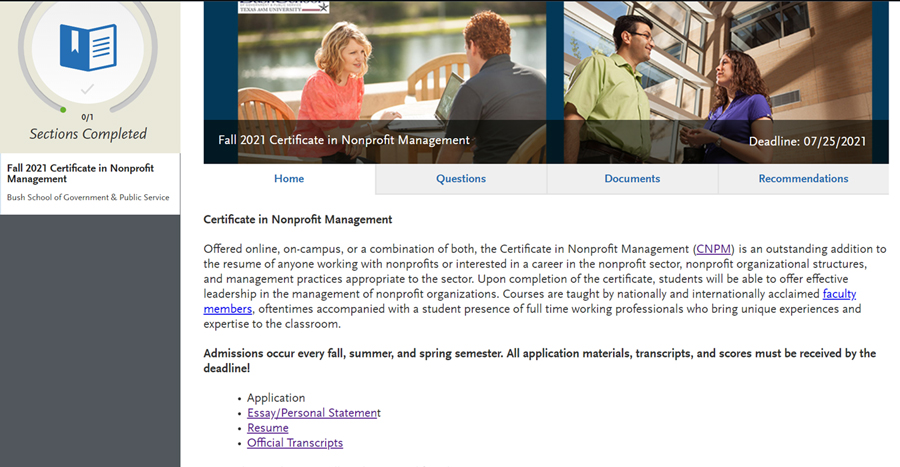
Once you are in the Program Materials portal, you will see 4 tabs. “Home” provides more information on the program you are applying for.
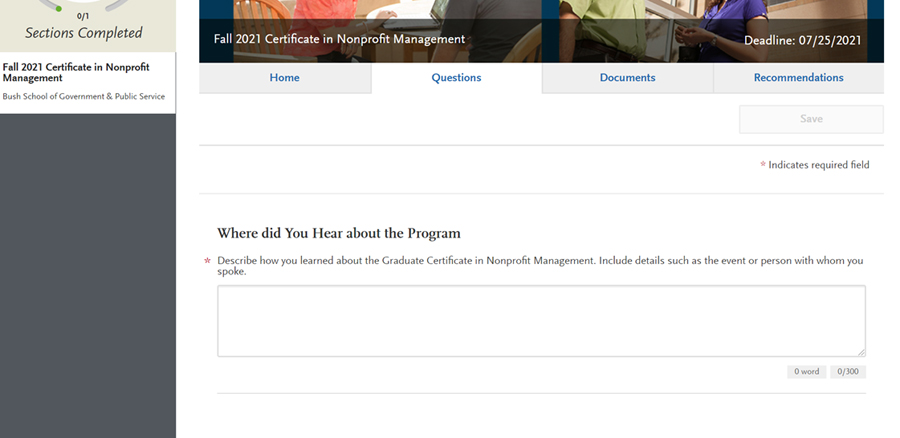
The “Questions” tab varies depending on which program you are applying for. There may be additional questions, depending on the program and semester applying for.
Reminder: Make sure to save your answers as you go.
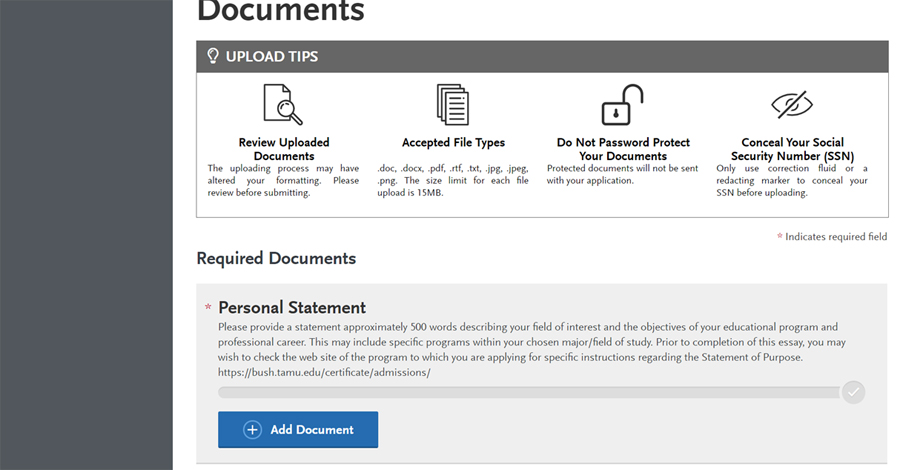
The “Documents” tab is where you will upload your personal statement. We recommend checking the format of your personal statement once it is uploaded. The upload process may disable or alter custom formatting.
Uploading a personal statement is required to proceed with the application.
The final tab is for letters of recommendation.
For Certificate Applicants: Letters of recommendation are not required to complete your applicant file. You can click “I Am Not Adding Any Recommendations” to proceed.
For EMPSA Applicants: 3 letters of recommendation are required to complete your applicant file. However, you don’t have to use the GraduateCAS portal. Your recommenders can email their letters to bushschoolonline@tamu.edu. If you would prefer this option, then click “I am Not Adding Any Recommendations.”
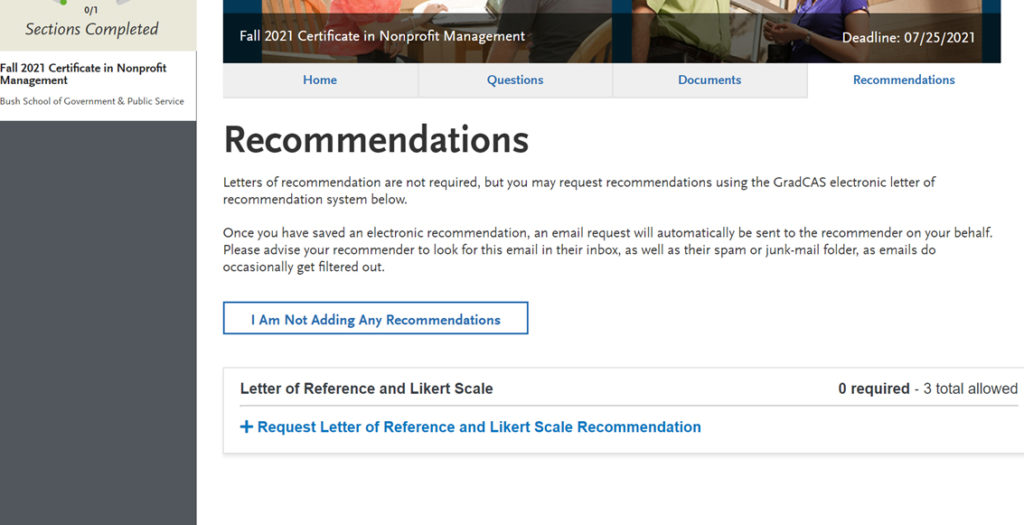
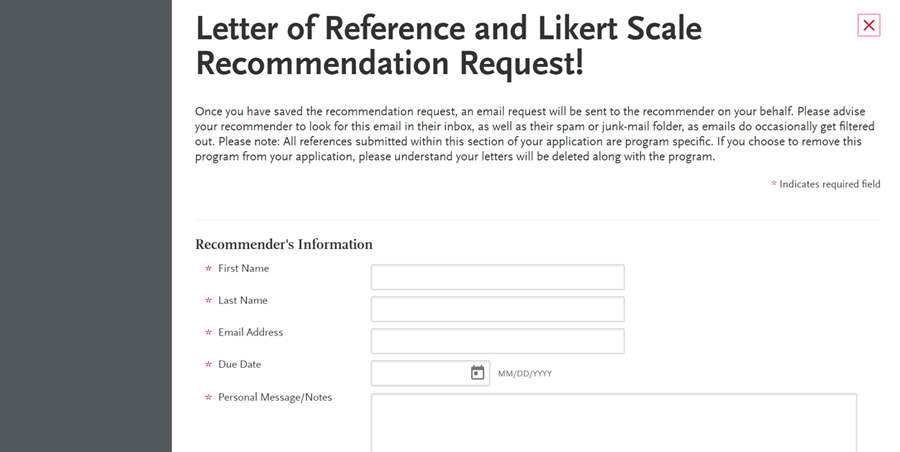
If you are an EMPSA applicant, and you would like to use this portal to request your letters of recommendation, click “Request Letter of Reference and Likert Scale Recommendation” and fill out the information required. You can add up to 6 people.
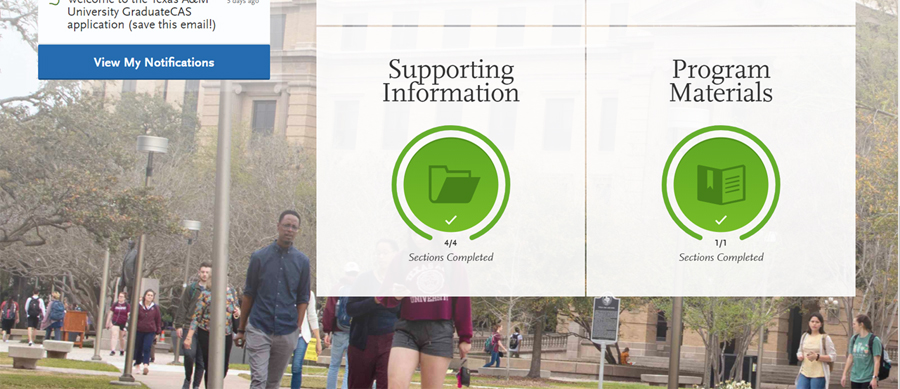
When all sections are complete, your landing page will look like this. Please note that the “Submit Application” button has populated with a red “1”, which means that your application is complete and ready to go.
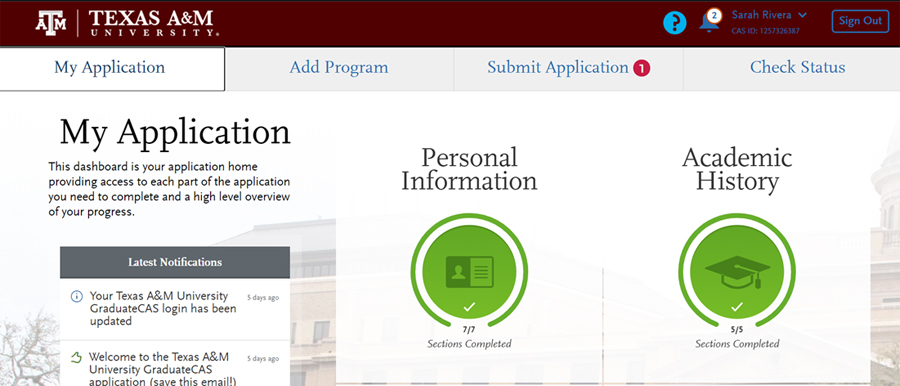
You may now pay and submit your application. Click the “Submit Application” tab.
IMPORTANT: Once you submit your application, no changes or refunds can be made. Please double-check all information before submitting.
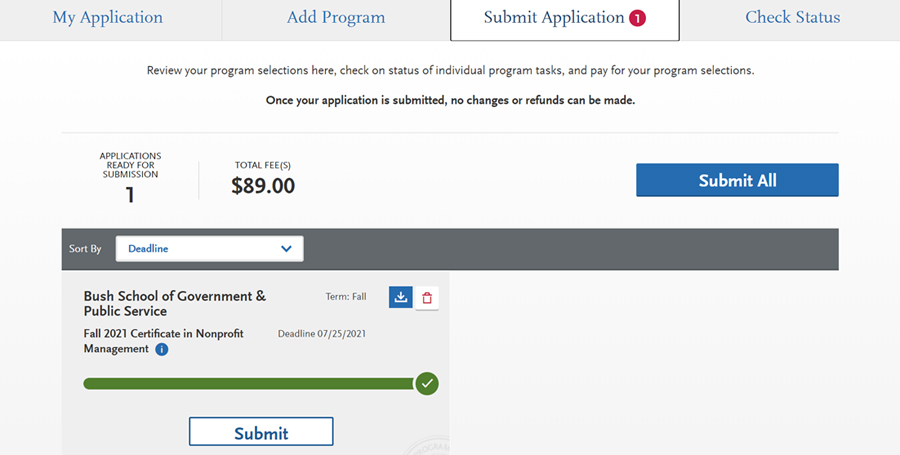
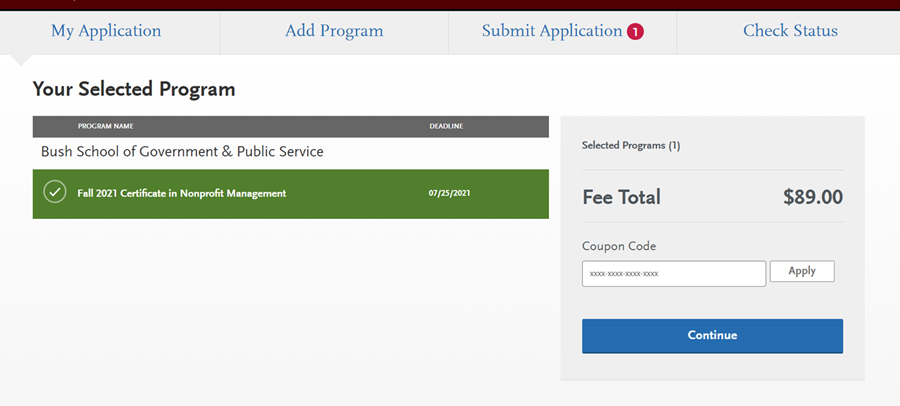
Once you click the “Submit” button, it will take you to a confirmation page. Click “Continue” to proceed to the Payment page.
Once you get to the payment page, you will input your payment information, and confirm the billing address. If your billing address is different than your permanent address on your application, you may enter that information here.
Note: You cannot skip this section.
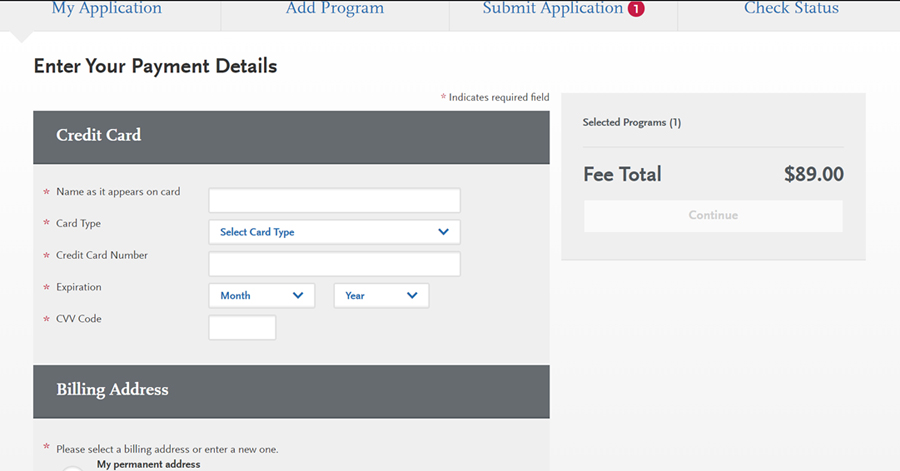
Once this is complete, click “Continue” to proceed submitting your application.
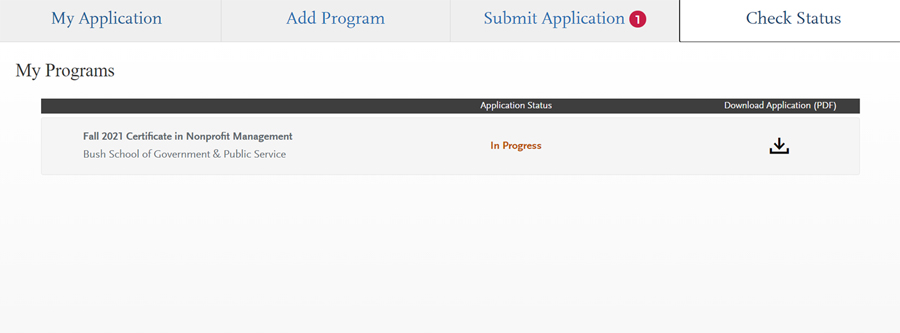
Later on, you can return to GraduateCAS to check the status of your application. You can also download a PDF copy of your application for your records.