Go to www.applytexas.org

Click on the “Create your Account Now >>” link. Fill in all required field and press “Save Profile.” Remember your username and password!

Log into www.applytexas.org using the username and password you created and click on the “My Applications” tab. From here, click on the “Create a new application now” link.

Select the “create a new graduate school admissions application” button.

Select the Target University: “Texas A&M University (College Station).” Choose the application type (Graduate, US or Graduate, International). Then, confirm you have or will have a bachelor’s degree or equivalent prior to the start of the graduate term for which are applying by checking the designated checkbox.
Press Continue.

Select the semester you wish to begin the program you are applying to and press continue.

Select the certificate for which you are applying to in the Major drop-down menu:
- Certificate in Advanced International Affairs (NON-DEGREE)
- Certificate in Homeland Security (NON-DEGREE SEEKING)
- Certificate in Nonprofit Management (NON-DEGREE SEEKING)
- Certificate in Public Management, NON-DEGREE SEEKING

Make note of the application deadline for the program you are seeking and press “continue to my application.”

Continue with your application by filling in all required information and clicking the “Save Changes” button at the bottom of every page. Required fields are marked with “REQUIRED.”
Pages 1 and 2 ask for you to fill in your biographical information.

On Page #3, be sure to select the following to apply to one of the Bush School Graduate Certificates:

On Page #4, fill in all colleges/universities attended. Be sure to indicate the degree earned (if any).

On Page #5, check off the tests for which you have taken or plan to take. Fill in score and test date information. Save your changes.
If you have not taken any of the tests listed, press Save Changes and continue to the next page.

On Page #6, select whether you attended a public college or university in Texas in a fall or spring term (excluding summer) during the 12 months prior to the term for which you are applying. Press “save and continue to next question.”

Continue filling out your residency information. Press “save and continue to next question.”
You will be asked to confirm your residency information by selecting “save page and continue with application.”

On Page #7, fill in your employment information. Academic references and honors are not required.

On Page #8, read through the instructions for each step and press “save, acknowledge question.”

All of the following questions must be acknowledged and saved.

Make note of the information about “Requesting a Deferral.” All applicants who wish to defer their application to another semester must do so prior to the first day of class for the semester of the application. Once the semester begins, the application will become inactive.

For students taking classes online, the Bacterial Meningitis requirement is waived.
Once all questions are saved and acknowledged, press the “save and complete this page” button:

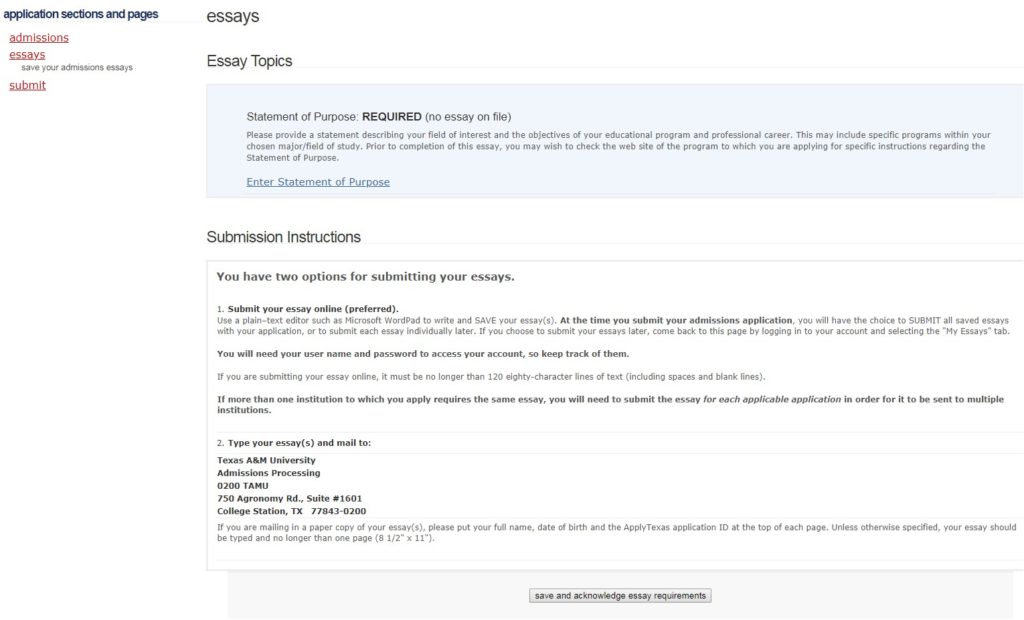
On the Essay Topics page, you have the option of uploading your personal statement or you can send to the address listed. You may also send to bushschoolonline@tamu.edu via email. Press “save and acknowledge essay requirements.”
On the last page of the application, you will need to read the statements listed and select a method of payment. The application fee for US applicants is $65.00. The application fee international applicants is $90.00.
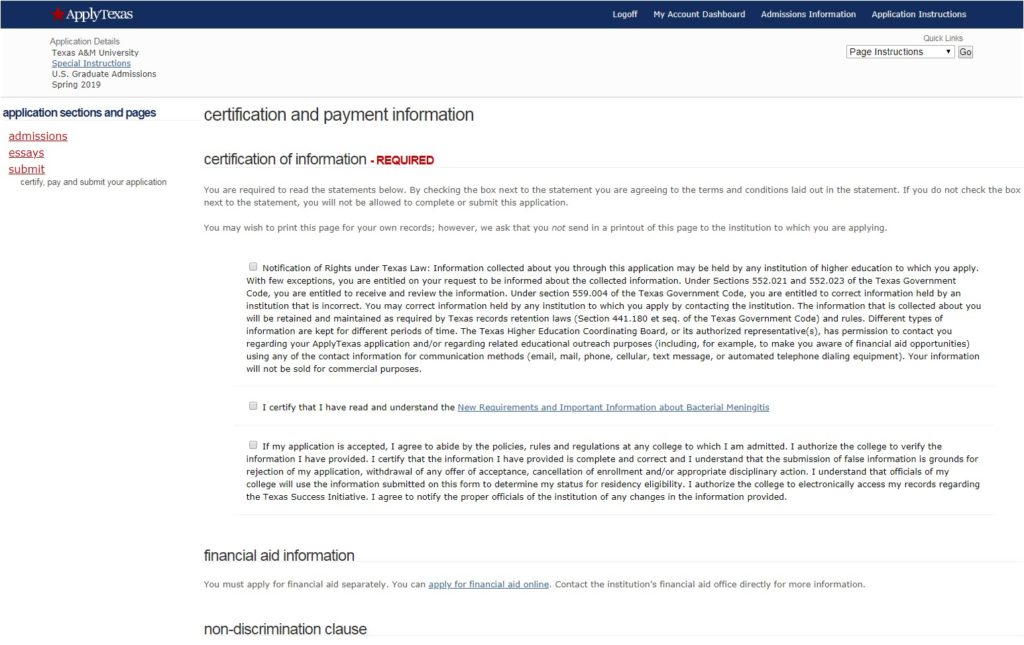
Once you are finished, press “save and proceed to application submission.”

